PaySocial | Monetize your skills and share your projects
brayanjonas

brayanjonas

@brayanjonas
Aggiornamenti recenti
  • QuickBooks Error 17337 – Call +1-888-718-7888

    QuickBooks Error 17337 can interrupt payroll updates and prevent users from downloading the latest payroll information. The issue may involve internet connectivity, firewall restrictions, or incorrect security settings. Checking your connection and reviewing QuickBooks update permissions can help identify the cause. For professional troubleshooting assistance, contact Data Service Team at +1-888-718-7888.


    Visit Us - https://dataserviceteam.com/quickbooks-error-17337/
    DATASERVICETEAM.COM
    QuickBooks Error 17337: How to Fix Payroll Update Issues
    Facing QuickBooks Error 17337? Learn how to fix payroll update issues, resolve server connection problems, and download the latest tax tables.
    228 Visualizzazioni
  • Drop-Down Menus Not Working in QuickBooks – +1-888-718-7888

    When drop-down menus stop responding in QuickBooks, selecting customers, accounts, or transactions can become difficult. This issue may be related to display settings, damaged program components, or temporary software glitches. Checking the application and updating QuickBooks may help restore normal functionality. For troubleshooting assistance, call +1-888-718-7888.

    Visit Us - https://dataserviceteam.com/drop-down-menus-not-working-in-quickbooks/
    DATASERVICETEAM.COM
    Drop Down Menus Not Working in QuickBooks? Here’s How to Fix
    Fix Drop Down Menus Not Working in QuickBooks with easy troubleshooting steps. Learn how to resolve menu display issues in QuickBooks.
    Like
    1
    152 Visualizzazioni
  • QuickBooks Error 1317 – Call +1-888-718-7888 for Assistance

    QuickBooks Error 1317 may appear when installing or updating QuickBooks Desktop due to Windows permission restrictions or problems accessing required folders. Checking folder permissions and running the installer with administrator privileges may help resolve the issue. Always back up important company files before troubleshooting.

    Visit Us - https://dataserviceteam.com/quickbooks-error-1317/
    DATASERVICETEAM.COM
    QuickBooks Error 1317: How to Fix Unable to Create Directory
    QuickBooks Error 1317? Learn how to fix installation failures, access denied messages, and Windows folder permission issues with easy steps.
    Like
    1
    159 Visualizzazioni
  • QuickBooks Error 2277 – Get Expert Help at +1-888-718-7888

    QuickBooks Error 2277 can interrupt accounting activities and prevent users from completing important tasks. Identifying the underlying cause is the first step toward resolving the problem. Checking software settings, system configuration, and company file conditions may help narrow down the issue. For professional QuickBooks troubleshooting assistance, contact Data Service Team at +1-888-718-7888.

    Visit Us - https://dataserviceteam.com/quickbooks-error-2277/
    DATASERVICETEAM.COM
    QuickBooks Error 2277: Fix Intuit Data Protect Backup Issues
    Fix QuickBooks Error 2277 with easy troubleshooting steps. Resolve Intuit Data Protect backup failures, firewall issues, and connectivity problems.
    178 Visualizzazioni
  • QuickBooks Error 591 – Get Expert Assistance Today

    QuickBooks Error 591 can interrupt accounting activities and make it difficult to complete important tasks. Identifying the cause is the first step toward resolving the problem. Check your software version, review recent system changes, and keep a backup of your company file before troubleshooting. For assistance, call +1-888-718-7888.

    Visit Us - https://dataserviceteam.com/quickbooks-error-591/
    DATASERVICETEAM.COM
    QuickBooks Error 591: How to Fix American Express Sync Issues
    Learn how to fix QuickBooks Error 591 when connecting an American Express Business account. Discover common causes & troubleshooting steps
    188 Visualizzazioni
  • Drop Down Menus Not Working in QuickBooks – +1-888-718-7888

    When drop-down menus stop responding in QuickBooks, selecting customers, accounts, or transaction details can become frustrating. This issue may be related to display settings, damaged program components, or outdated software. Checking the application and Windows display configuration can help identify the cause. For troubleshooting assistance, call +1-888-718-7888.


    Visit Now - https://dataserviceteam.com/drop-down-menus-not-working-in-quickbooks/
    DATASERVICETEAM.COM
    Drop Down Menus Not Working in QuickBooks? Here’s How to Fix
    Fix Drop Down Menus Not Working in QuickBooks with easy troubleshooting steps. Learn how to resolve menu display issues in QuickBooks.
    184 Visualizzazioni
  • Fix QuickBooks Error 1317 – +1-888-718-7888

    QuickBooks Error 1317 may appear when installing or updating QuickBooks Desktop due to Windows folder permission problems. Restricted access to installation directories can interrupt the process. Checking folder permissions, running the installer as an administrator, and reviewing Windows security settings may help resolve the issue. For professional assistance, call +1-888-718-7888.


    Visit Now - https://dataserviceteam.com/quickbooks-error-1317/
    DATASERVICETEAM.COM
    QuickBooks Error 1317: How to Fix Unable to Create Directory
    QuickBooks Error 1317? Learn how to fix installation failures, access denied messages, and Windows folder permission issues with easy steps.
    140 Visualizzazioni
  • QuickBooks Error 2277 can interrupt accounting activities and create difficulties when accessing important company information. Identifying the circumstances behind the error is the first step toward resolving it. Reviewing software updates, system settings, and company file conditions can help narrow down possible causes. For troubleshooting guidance, contact +1-888-718-7888.

    Visit Us - https://dataserviceteam.com/quickbooks-error-2277/
    DATASERVICETEAM.COM
    QuickBooks Error 2277: Fix Intuit Data Protect Backup Issues
    Fix QuickBooks Error 2277 with easy troubleshooting steps. Resolve Intuit Data Protect backup failures, firewall issues, and connectivity problems.
    164 Visualizzazioni
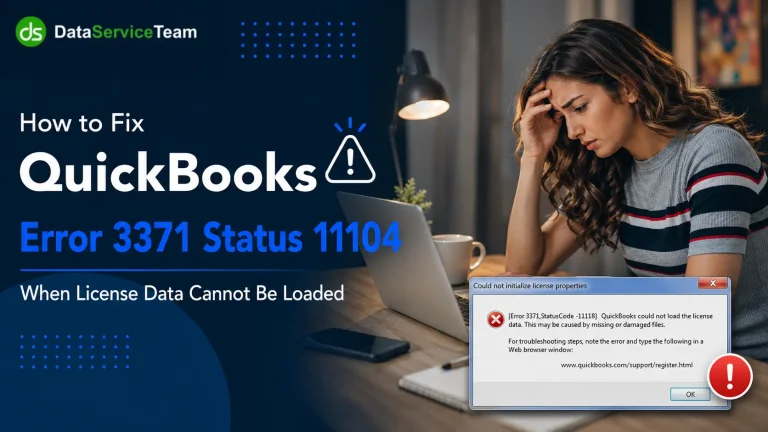
  • QuickBooks Error 3371 – Call +1-888-718-7888 for Assistance

    QuickBooks Error 3371 can appear when the software cannot load essential license information. Damaged entitlement files, missing components, or Windows configuration issues may prevent QuickBooks Desktop from opening. Identifying the cause is the first step toward resolving the problem. Data Service Team can help you troubleshoot this issue. Call +1-888-718-7888.

    Visit Now - https://dataserviceteam.com/quickbooks-error-3371/
    DATASERVICETEAM.COM
    QuickBooks Error 3371 Status Code 11118: How to Resolve It
    Learn How to Fix QuickBooks Error 3371, Status Code -11118, with Tool Hub troubleshooting, license-file repair, and installation fixes.
    398 Visualizzazioni
  • Migrate from QuickBooks Desktop to Online – Call +1-888-718-7888

    Moving your accounting operations to the cloud can make business management more flexible. When you migrate from QuickBooks Desktop to Online, you should prepare company records, review file compatibility, and check important financial information. A well-planned transition helps reduce confusion and maintain accurate bookkeeping records.

    Visit Now - https://dataserviceteam.com/migrate-from-quickbooks-desktop-to-online/
    DATASERVICETEAM.COM
    Migrate from QuickBooks Desktop to Online: Complete Step-by-Step Guide
    Need help migrate from QuickBooks Desktop to Online? This guide explains preparation, data transfer steps, verification, & solutions for migration issue
    404 Visualizzazioni
Altre storie